by Narmina Balabeyli
Updated:
5 min
Let's start with the honest part: vevy.ai has been live on the Shopify App Store for a while now. This post should have gone out on launch day. It didn't.
The reason is boring, and probably familiar if you've ever shipped anything: we were busy shipping. We re-built Topical Maps and brought Brand Voice Profile, Content Briefs, and AI Blog Agent. Merchants installed the app, used it, and told us what was broken, so we fixed that instead of writing about ourselves 😊
So consider this the announcement we owed you. A bit late, but with more to show for it.
Why we built vevy.ai for Shopify?
We've been talking to Shopify merchants quite for a some time now. What we noticed is that even though Shopify stores know they should blog and want to, they don't do it consistently or correctly. Due to Shopify's blogging limitations, they don't have control over how their blog looks. And most importantly, Shopify merchants today want to automate, almost anything. They just want to have control over it.
What we did at vevy.ai and what it is now
We first wanted the boring part solved: what to write, in what order, and why. We launched the vevy.ai as a Shopify app that gives blog post topics. We also allowed merchants to be able to fully customize their blog pages with our rich, drag-and-drop Blog Builder: adding recommended products and collections, testimonials, CTA banners, galleries, and anything else that are not possible with Shopify's blog editor.
https://www.vevy.ai/blog/is-it-posible-to-customize-blogs-in-shopify
After having conversations with several merchants, we brought big changes to vevy.ai:
1. We brought Brand Voice Profile
Once a merchant installs the vevy.ai app, we "scan" the store, where we understand what the store sells and check its current content of each page. Based on the crawling, we build a brand voice profile that includes the tone, voice pillars, language guidelines, writing guidelines, brand narrative, industry keywords, etc.
Merchants can update their brand voice profile from the app settings. When updated, vevy.ai starts following it and generates everything based on that the new profile.
2. We improved topical map - content clustering
Before the big change, vevy.ai could give cluster topics, including related blog post titles for each cluster.
We went a bit deeper and brought topical maps that include clusters, which in turn include related topics, with each topic including supporting blog post titles.
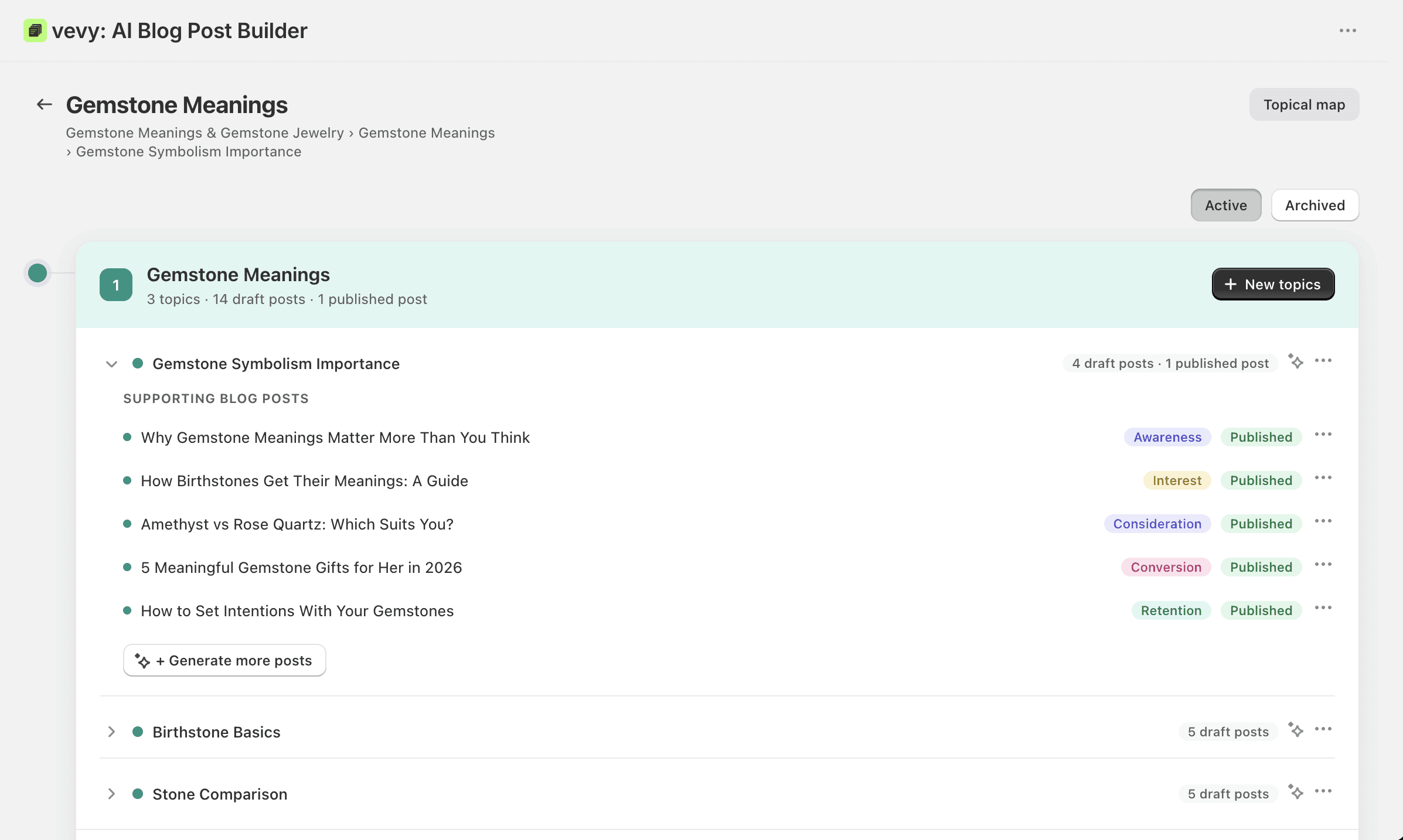
Merchants can select the blog post they like, add it to their calendar in the dashboard, and generate it with AI or write it manually. Plus, they can generate additional maps, clusters, topics, and blog post titles for each topic; additional topics for each cluster; additional clusters for each map; and additional maps for their whole brand.
3. We added content brief
Content briefs are like guidelines for generating blog posts. They're generated based on the brand voice profile, the blog post title, and the funnel stage and intent of the blog post title. They include:
Group of keywords (target keyword, child keyword, entities, related phrases)
Content angel
Length
PAA (People Also Ask) questions from Google SERP
FAQ questions
Call to action ideas
URL handle
Meta data, etc.
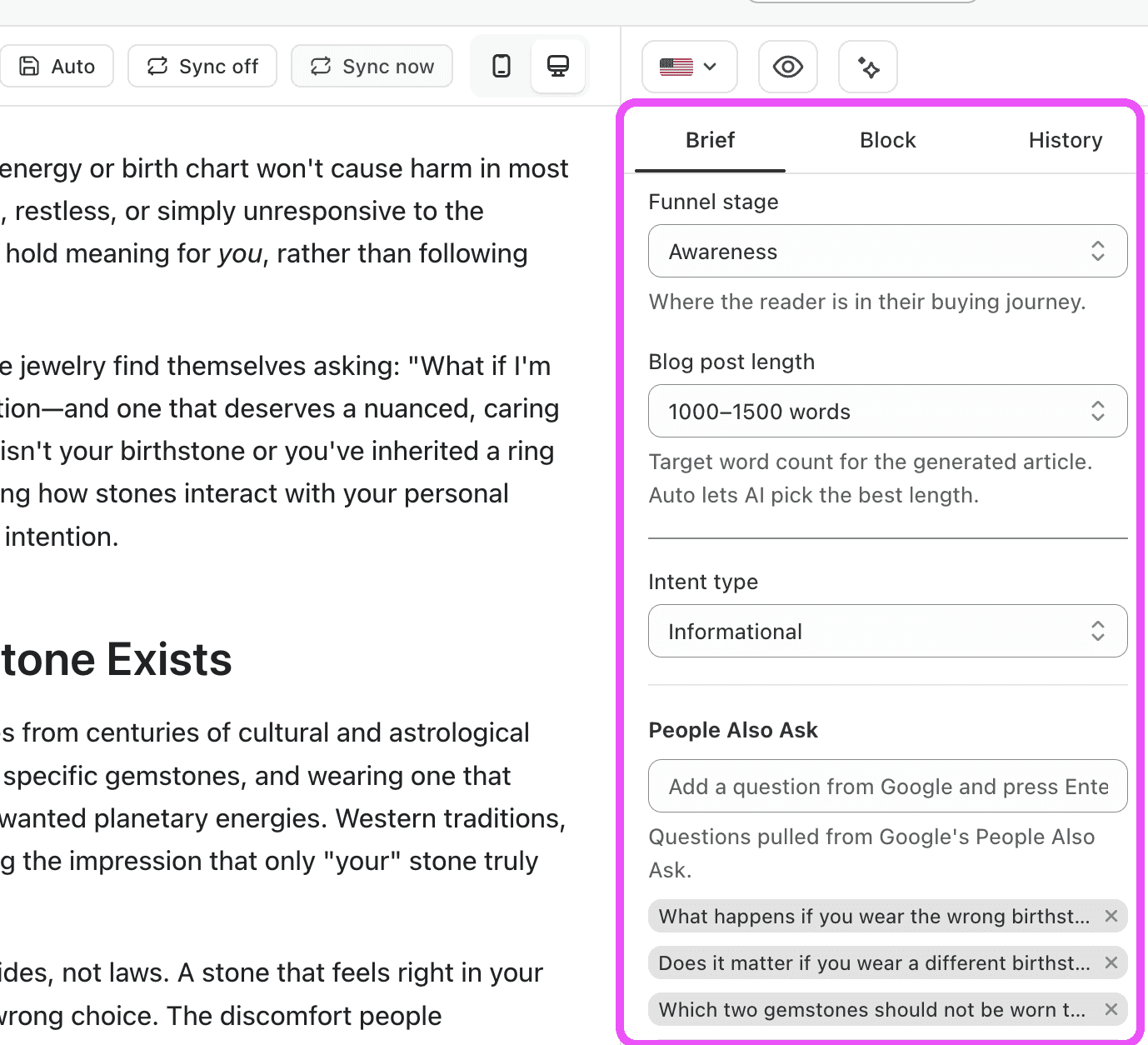
Upon topical map generation, content briefs are generated automatically for the blog posts. Merchants can edit these too.
4. We launched the blog calendar and cluster views
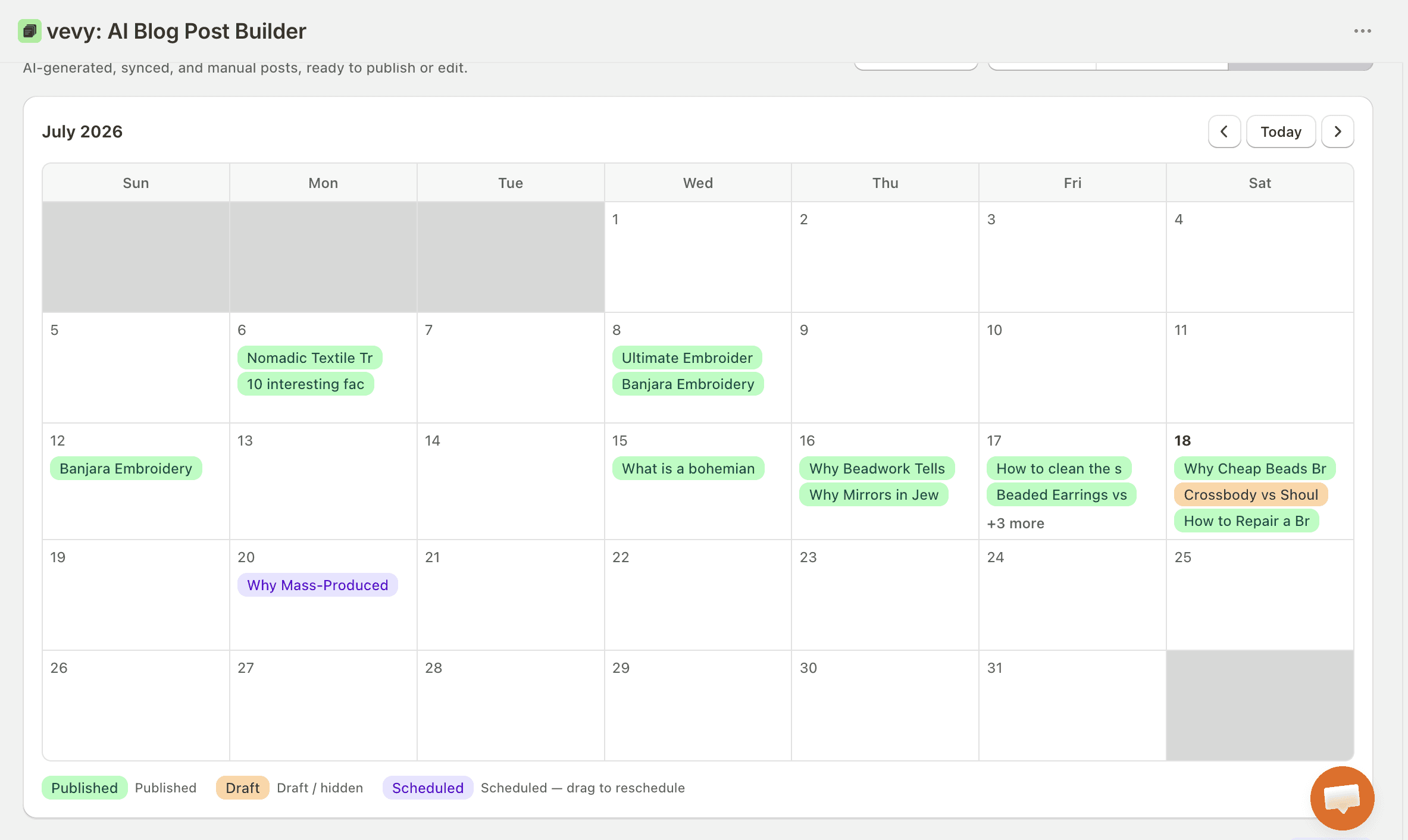
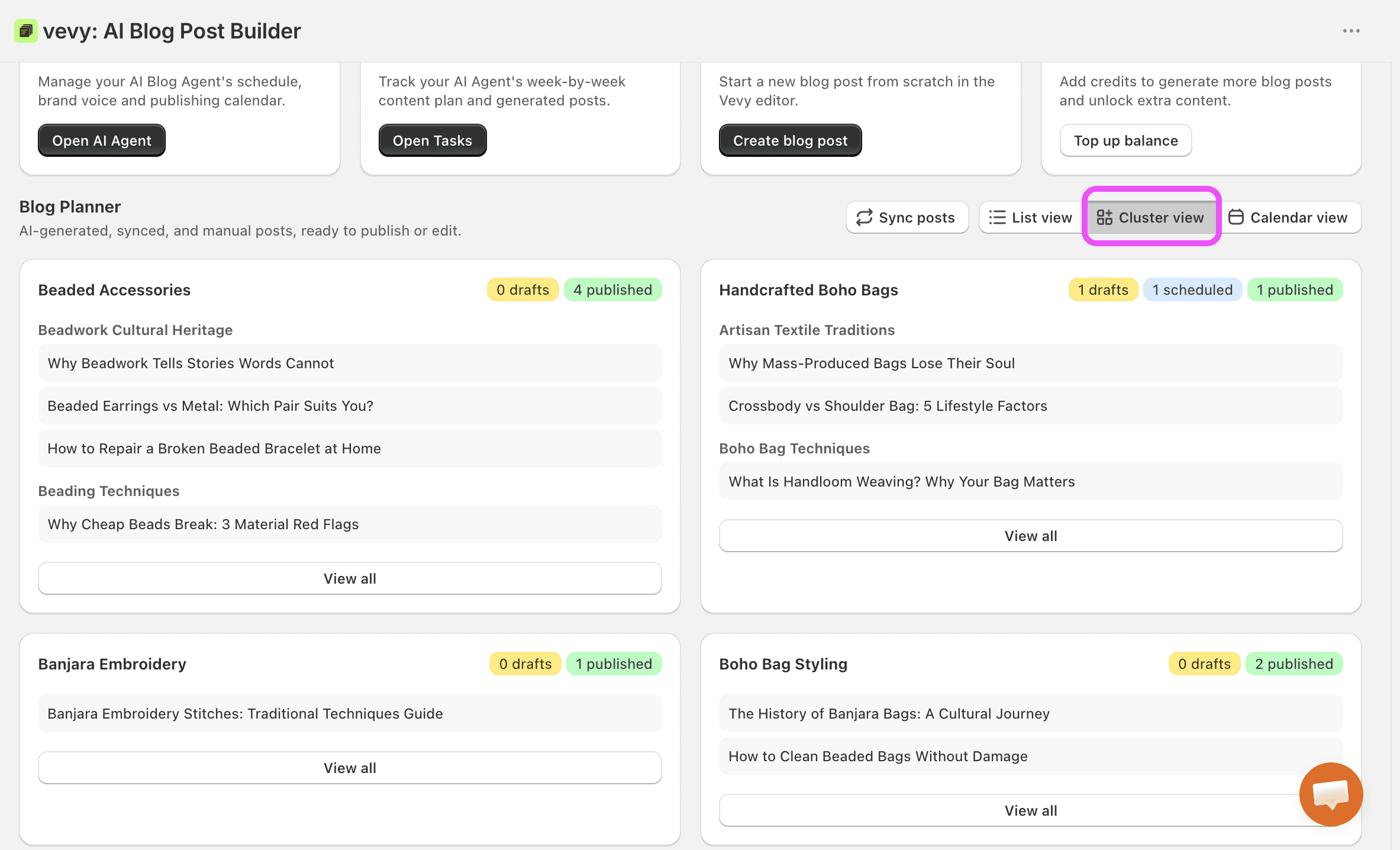
Before the big change, we had only a list view in vevy.ai. Now, users can view their blog planning in cluster and calendar views. This provides a better visual way to plan and organize their content.
Calendar view:
Cluster view:
5. We launched the AI Blog Agent for blogging on Shopify
The AI Blog Agent is the biggest change in vevy.ai. With confidence, we can say that vevy.ai is now the best AI Agent app in the Shopify App Store.
When a merchant sets up the agent, they simply select the weekdays they want posts to be published and control how the agent should behave. Then, they can just sit back and do nothing.
Merchants can decide whether posts should be scheduled as drafts so they can review them, or published automatically.
The AI Agent generates blog posts, adds internal and external links, and embeds related products into the posts automatically.
So..
Here's how vevy.ai works
The app follows one chain, and every step feeds the next:
Brand Voice Profile. upon installation, vevy.ai reads your store and builds a branding profile of what you sell, who you sell to, and how you sound.
Topical Map. Your niche gets broken into clusters (which become your Shopify blog categories), then topics, then titles.
Funnel stages. Every title is generated for the audience in difference funnel stages: Awareness, Interest, Consideration, Conversion, or Retention. This helps writing the content that specific for the audience in which funnel stage they belong to.
Content Brief. Before anything is written, you get a brief: angle, structure, PAA questions to answer, keyword groups.
Full post. Written from that content brief.
Automated internal linking. Posts link to your other posts, collections, and products using real URLs from your store only. We don't let the model invent links. No hallucinated collection pages.
Automated external linking. Where a claim needs a source, vevy.ai adds one. Credibility signals matter to both search engines and LLMs.
Automated product and eCommerce blocks. Product and collection cards, FAQ blocks get placed inside the post where they actually make sense for the funnel stage.
The builder. Every post lands in a block-based editor: restructure sections, adjust word count, swap or reposition product blocks, regenerate a single paragraph instead of the whole article, add AI images.
Advanced analytics. vevy.ai shows revenue generated and revenue contributed (which posts closed a sale directly, and which ones touched the path before the customer bought elsewhere on your store), heatmaps of where readers look, click, and stall, and reader behavior like scroll depth, drop-off points, which product block got engagement and which one got ignored.