
Getting Started

Blog Builder

How To's
How To's
How To's
/
How to add a CTA button to a blog post in Shopify?
How to add a CTA button to a blog post in Shopify?
3 min read
The vevy app is an AI blog app for Shopify. It helps merchants write, build, and optimize SEO blog posts, and track how those posts drive traffic and sales. In the vevy editor, you can add content blocks to your blog posts, including a CTA (call-to-action) button.
How to add a CTA button to a Shopify blog
To add a call-to-action button in a vevy blog, open your post in the vevy editor, drag the CTA Button block to where you want it, set the button text and link, then save. The button guides readers to the next step, like shopping a sale.
Open your post in the vevy Blog Builder.
In the Elements panel, open Media & Marketing and find CTA Button.
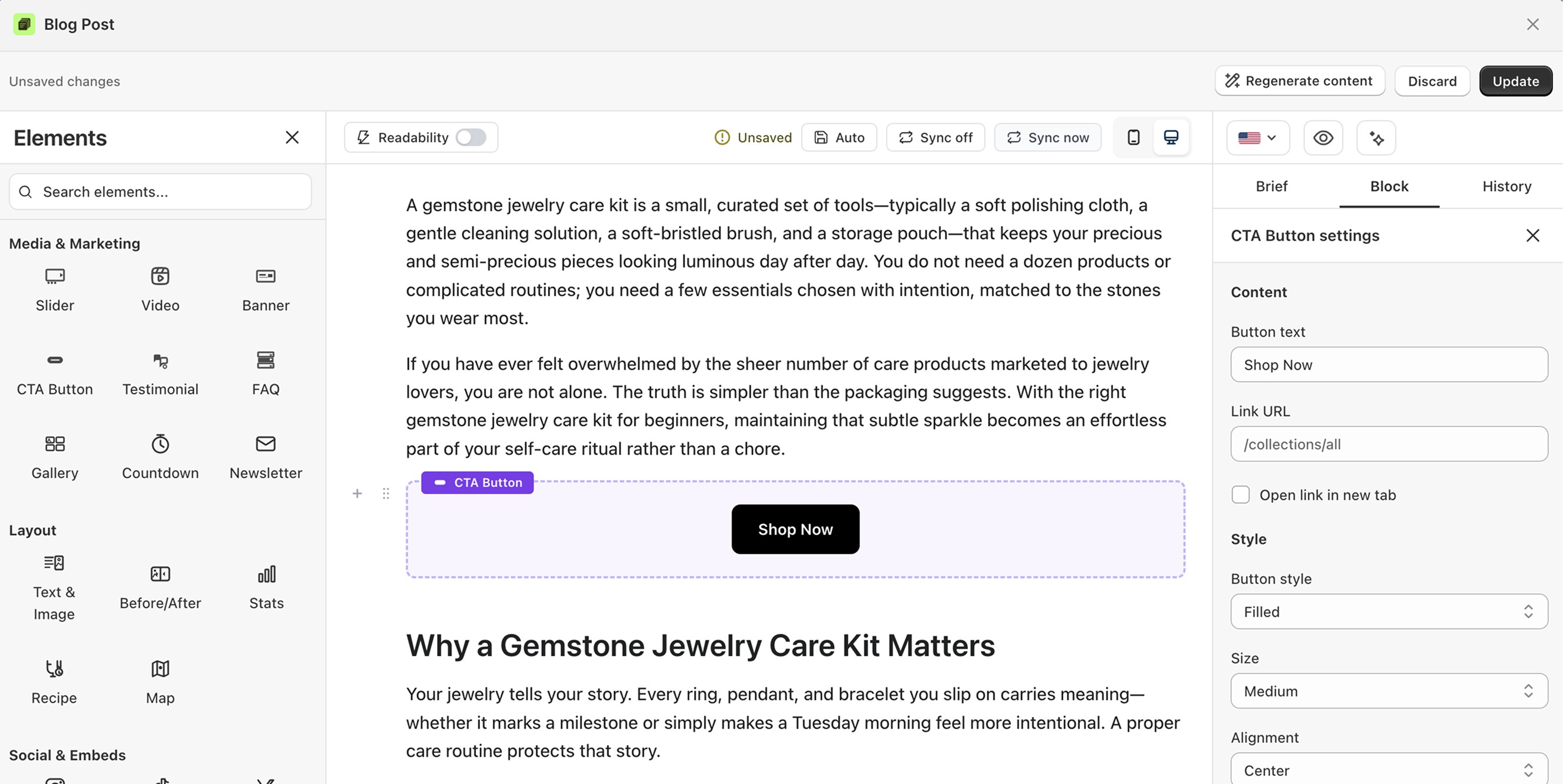
Drag the button into your post.
Click it to open its settings on the right.
Set the button text, like "Shop Now."
Add the link URL where it should go.
Style it: filled or outline, size, color, and alignment.
Save or publish.
When vevy.ai generates a content brief for a post, it includes CTA ideas written for that specific topic and intent — so the ask matches what the reader just finished reading.
Click Generate Brief in the editor, open the Brief tab, and pick the CTA that fits. Paste it into the button text, point the URL at the right collection, and you're done.
What you can customize
Button text and link
Open link in a new tab
Filled or outline style, size, alignment, and colors
Full-width option
FAQ
What text works best on a CTA? Short action words, like "Shop Now" or "Get the deal."
Can the link open in a new tab? Yes. Turn on "Open link in new tab."