



Blog Builder
/
e-Commerce elements
e-Commerce elements
Learn how to add - embed products, collections and other e-Commerce layout sections in Shopify blog
3 min read
E-commerce elements let you embed products, collections, and checkout buttons right inside your Shopify blog posts.
The e-commerce blocks in the blog builder include the Product Grid, Collection Grid, Product Card, Product Details, and Checkout Button. Each block turns your content into a place to shop, so readers can buy without leaving the page. Here is what each section does for your store.
Product Grid
You can use the Product Grid element to show several products together in a clean layout in your Shopify blog. Readers can browse and buy without ever leaving your post. It works like a mini shop built into your article.
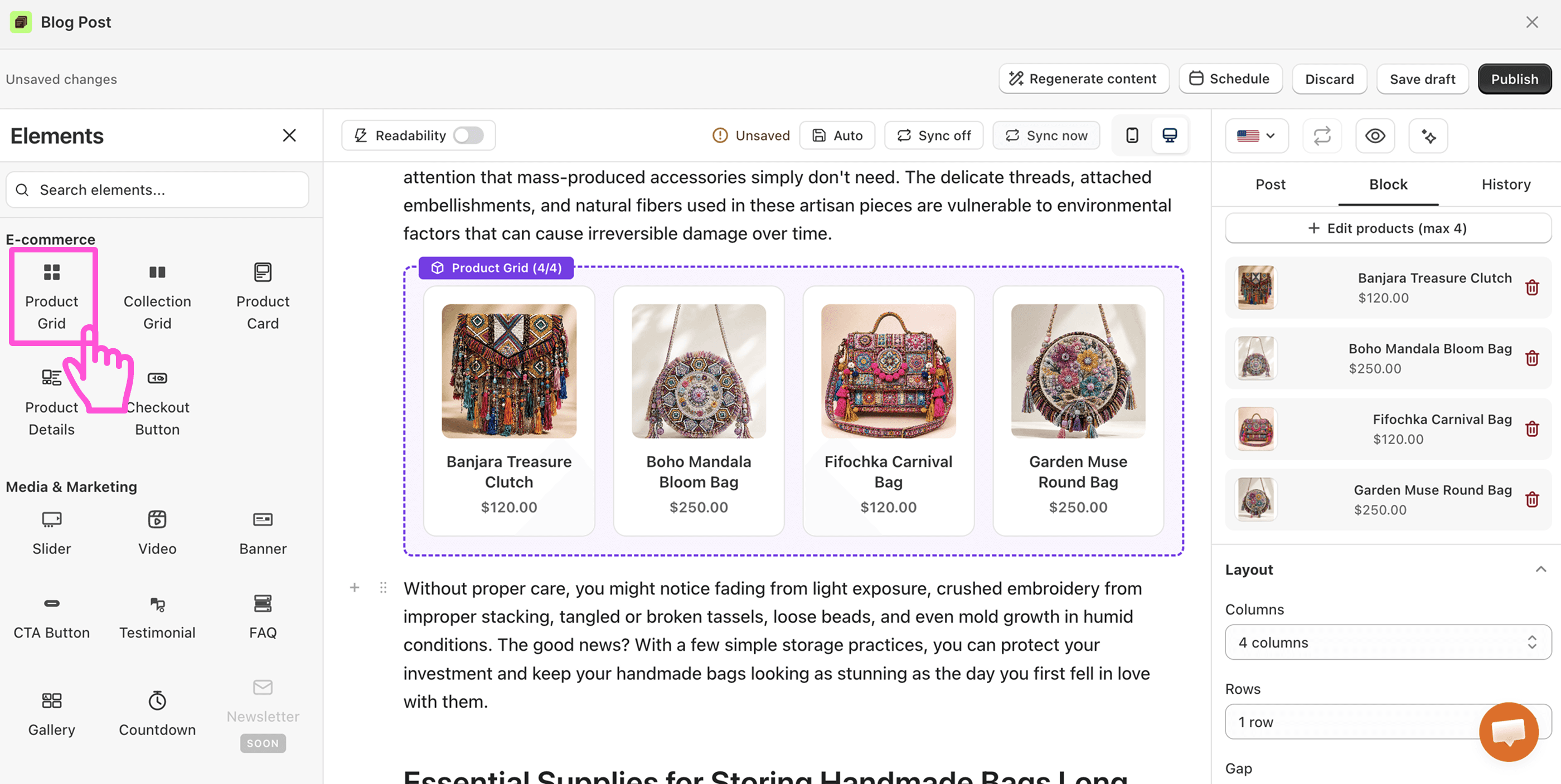
This is your best tool for turning a helpful guide into real revenue. Write about "summer essentials," then show those products right below.
Great for: Gift guides, "shop the look" sections, or a roundup of your bestsellers.
💡 Pro Tip
Place a product grid near the end of a helpful post, once the reader is ready to act. Keep it focused, so you show items that match what they just read.
Collection Grid
The Collection Grid features a full collection inside your blog post. Instead of single products, it links readers to whole categories, like "Winter Coats" or "New Arrivals."
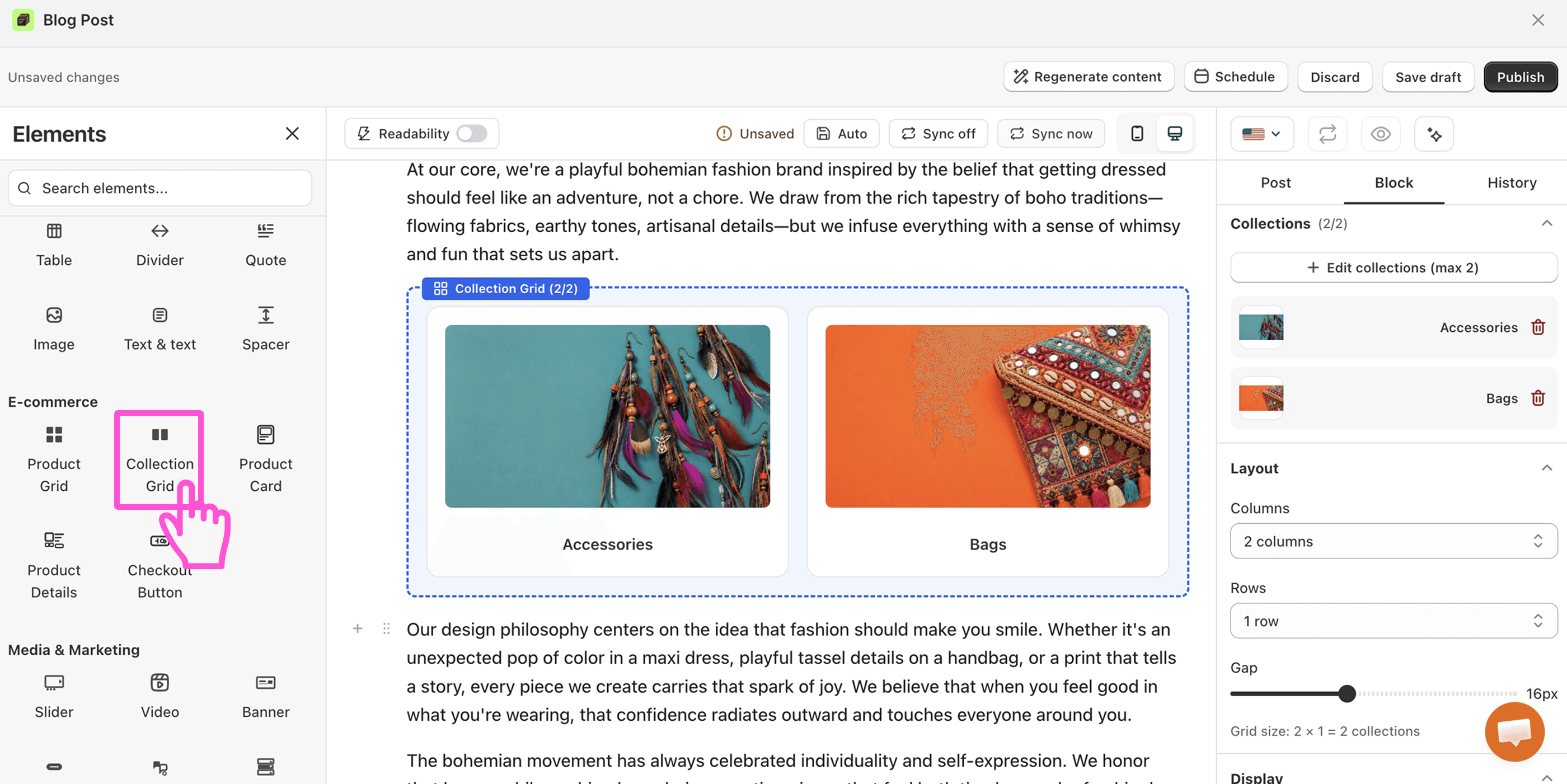
It is a smart way to send blog visitors deeper into your store. One block can point readers to dozens of products at once.
Great for: Seasonal launches, sales, or guiding readers from a broad topic to the right category.
💡 Pro Tip
Use it when your post covers a wide theme. A post about "building a capsule wardrobe" pairs well with your full clothing collection.
Product Card
The Product Card puts the spotlight on one product. It shows the image, price, and a buy button in a clean, eye-catching block. No clutter, just one clear choice.
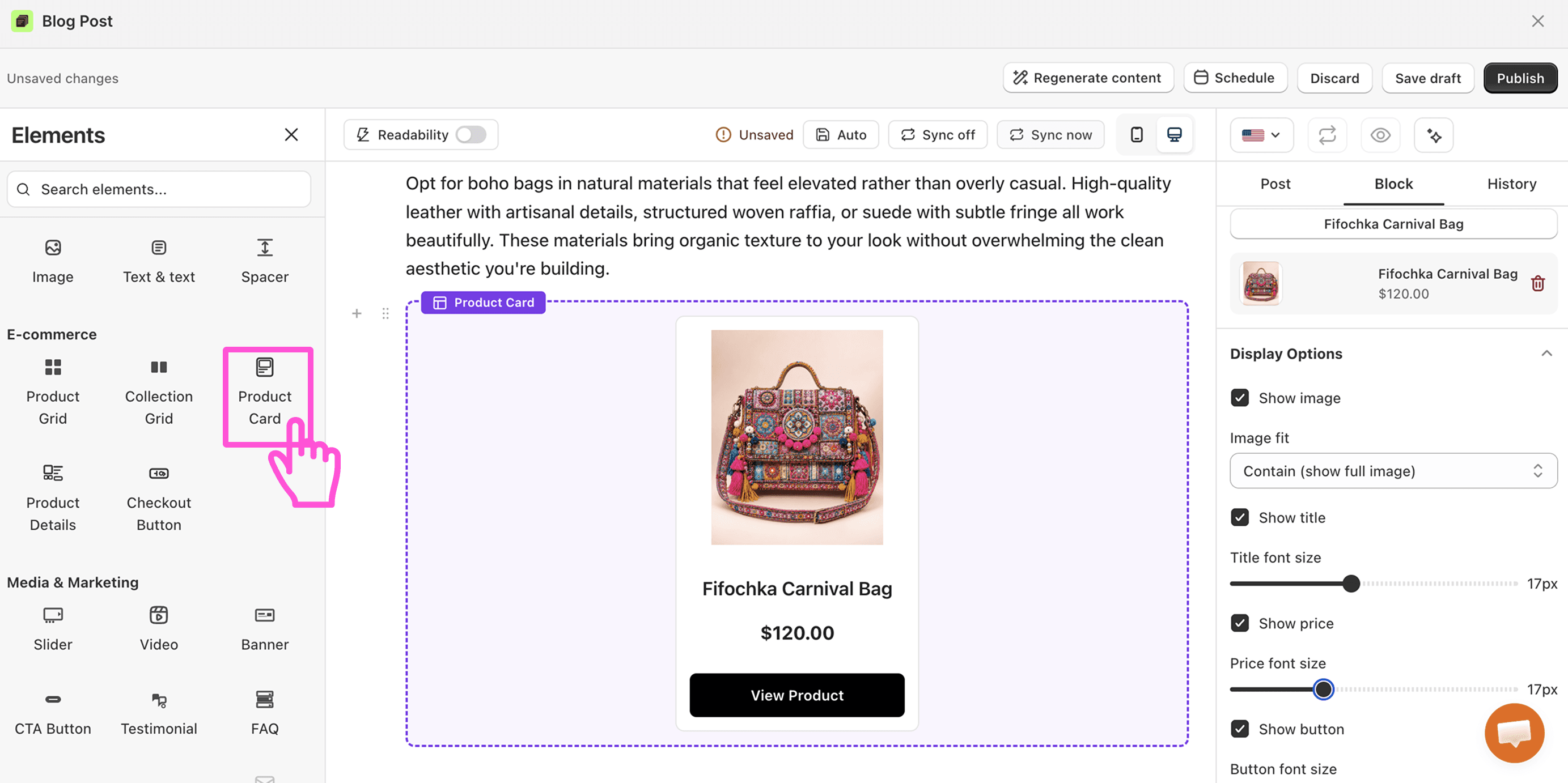
A single card removes distractions and makes the next step obvious. That focus often leads to more sales.
Great for: Featuring a hero product, a new drop, or the exact item your post is about.
💡 Pro Tip
Use a product card right after you talk about an item. The reader is interested, so give them a quick, easy way to buy.
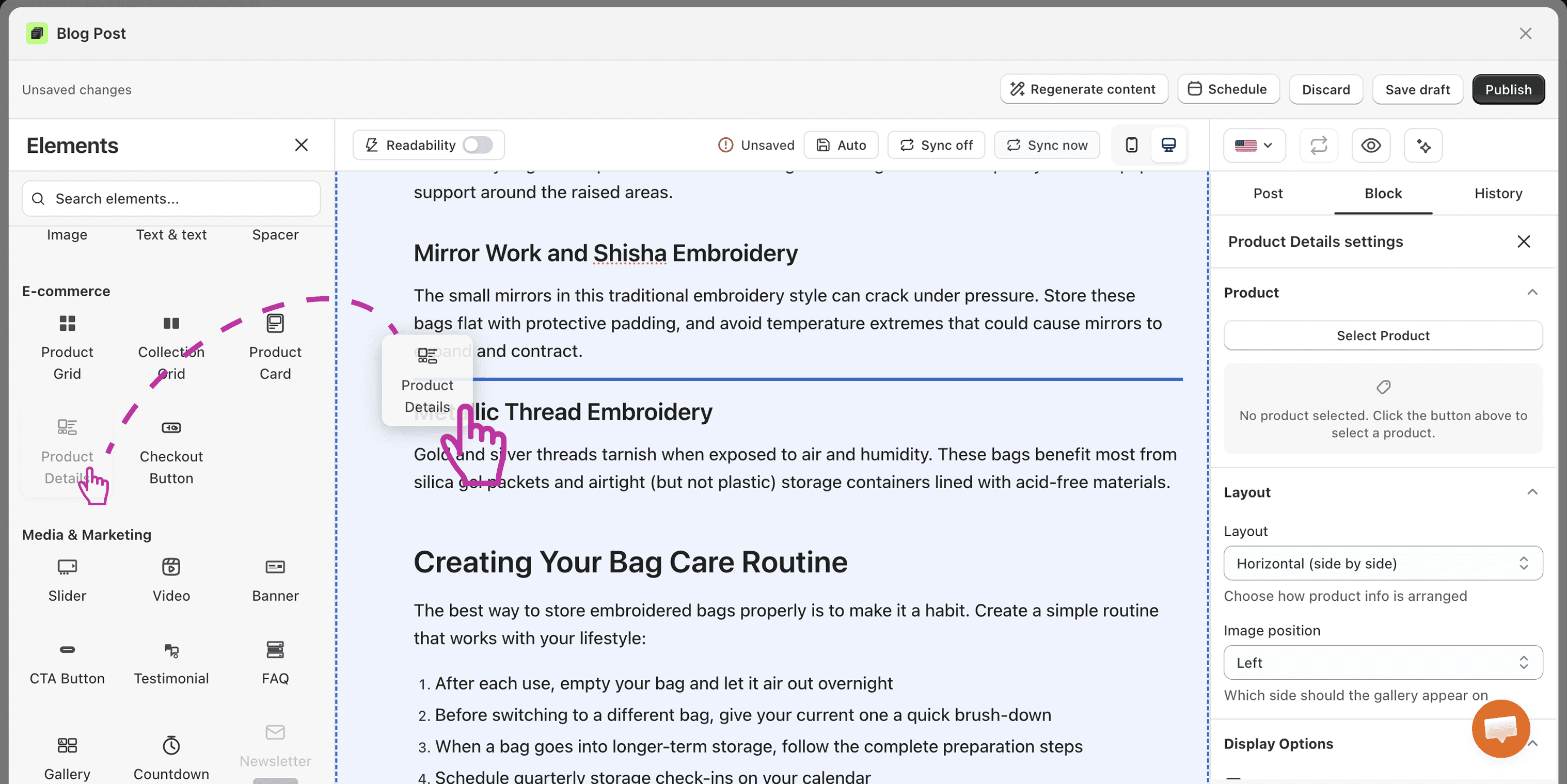
Product Details
You embed product to a blog post with the The Product Details block, this element pulls in full info about a product, like its description, price, and options. Readers get everything they need to decide, all without leaving your article.
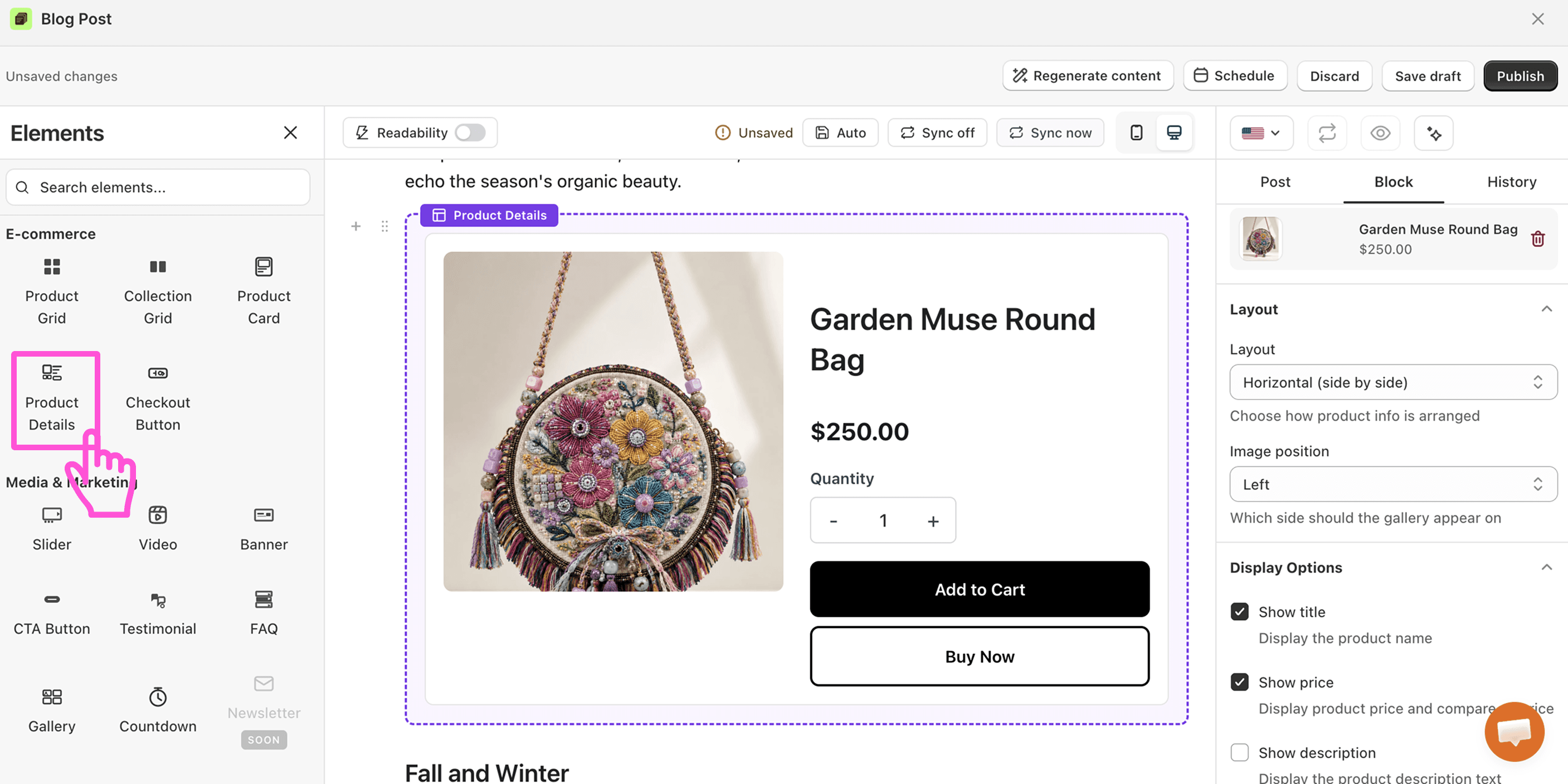
The less a shopper has to hunt for answers, the more likely they buy. This block keeps them in the flow.
Great for: Deep-dive reviews, product comparisons, or any post built around one key item.
💡 Pro Tip
Pair it with honest, helpful writing. When readers trust your post, the details block helps them say yes.
Checkout Button
The Checkout Button sends readers straight to checkout in one tap. It is the shortest path from "I want this" to "I bought this."
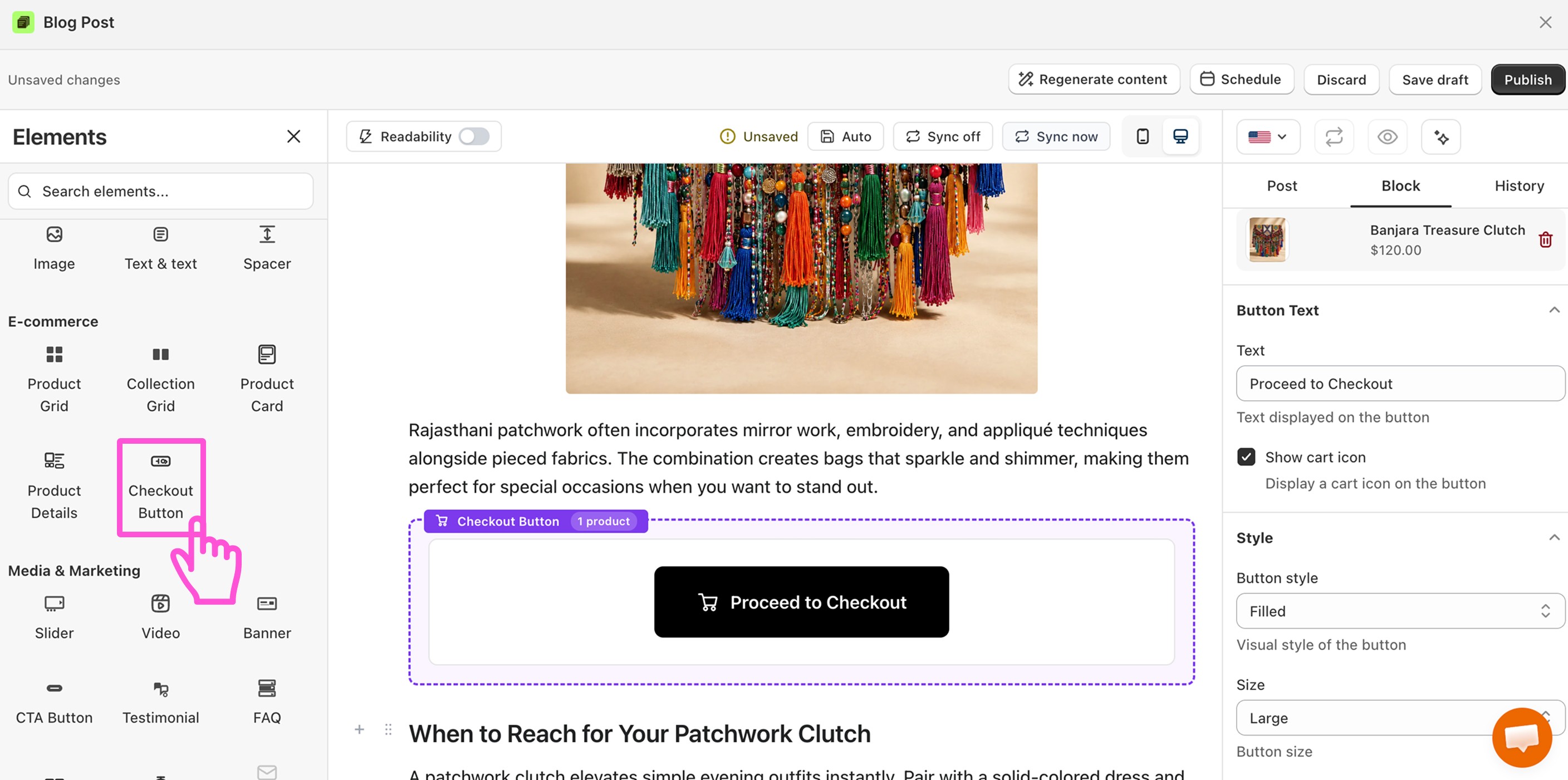
Every extra step loses buyers. This block cuts the steps, so you keep more sales.
Great for: Limited offers, flash sales, or a strong call-to-action after a glowing review.
💡 Pro Tip
Use it when a reader is ready to act, like right after a testimonial or a clear product pitch. Make the moment of buying feel quick and easy.