
Getting Started
Getting Started

AI Agent
AI Agent

Topical Map & Clustering

Blog Builder
Blog Builder

How To's
How To's
AI Agent
AI Agent
Topical Map & Clustering
How To's
How To's
How To's
/
How to embed TikTok clips to a blog post in Shopify?
How to embed TikTok clips to a blog post in Shopify?
Learn how to embed TikTok clip to a blog post in Shopify
3 min read
To embed a TikTok clip, drag the TikTok block into your vevy blog post, then paste the video's URL or embed code. The clip plays right inside your blog.
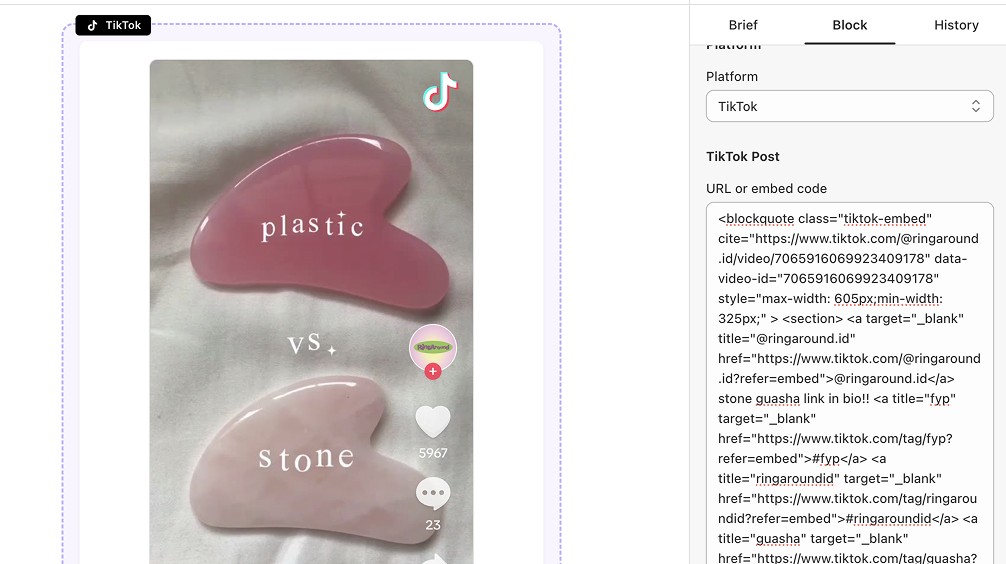
How to embed a TikTok video in a Shopify blog
Open your post in the Blog Builder.
In the Elements panel, open Social & Embeds and find TikTok.
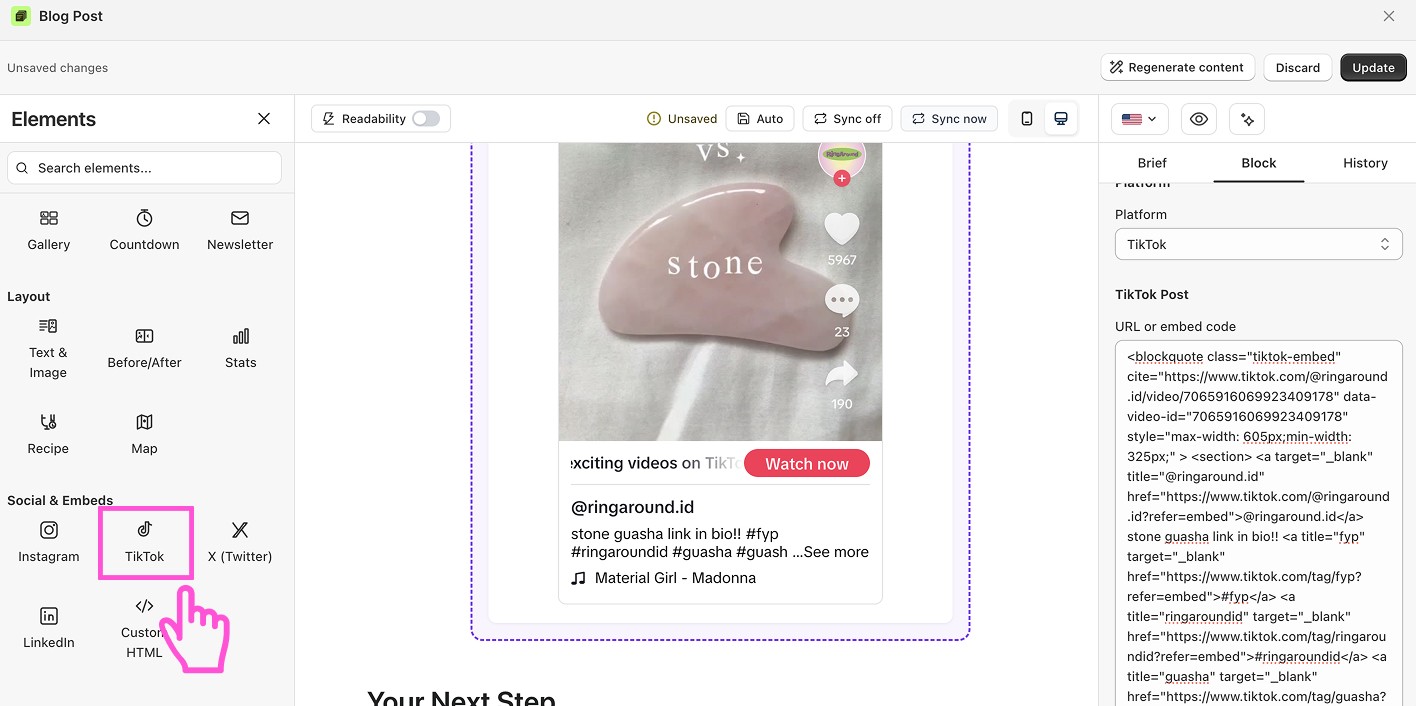
Drag the block into your post.
Click it to open its settings on the right.
Paste the TikTok URL. Or paste the embed code from TikTok.
The clip loads in your post.
Save or publish.
Want to see blog builder in action?
Install vevy.ai for free and create stunning blog pages
Want to see blog builder in action?
Install vevy.ai for free and create stunning blog pages
Want to see blog builder in action?
Install vevy.ai for free and create stunning blog pages
FAQ
Where do I find the TikTok link? Open the video, tap Share, and copy the link or the embed code.
Will the video play in my blog? Yes. Readers can watch it without leaving your page.