




How To's
/
How to add an accordion FAQ section to a blog post in Shopify?
How to add an accordion FAQ section to a blog post in Shopify?
How to add an FAQ section to a blog post in Shopify?
3 min read
vevy.ai lets you add an FAQ accordion to your Shopify blog posts as one of the media & marketing elements — and generate schema.org JSON-LD for it, so the questions can surface as a rich result in search.
This works for posts made in Shopify's own blog editor too. For this, you just need to sync the post first on the vevy.ai's dashboard.
Syncing blog posts add them to the vevy.ai's dashboard, so you can add FAQs and other blocks with the Blog Builder, even if the post wasn't created in vevy.ai.
How to add an FAQ section to a blog post in Shopify?
Open your blog post in vevy.ai's Blog Builder.
In the Elements panel on the left, open Media & Marketing and pick FAQ.
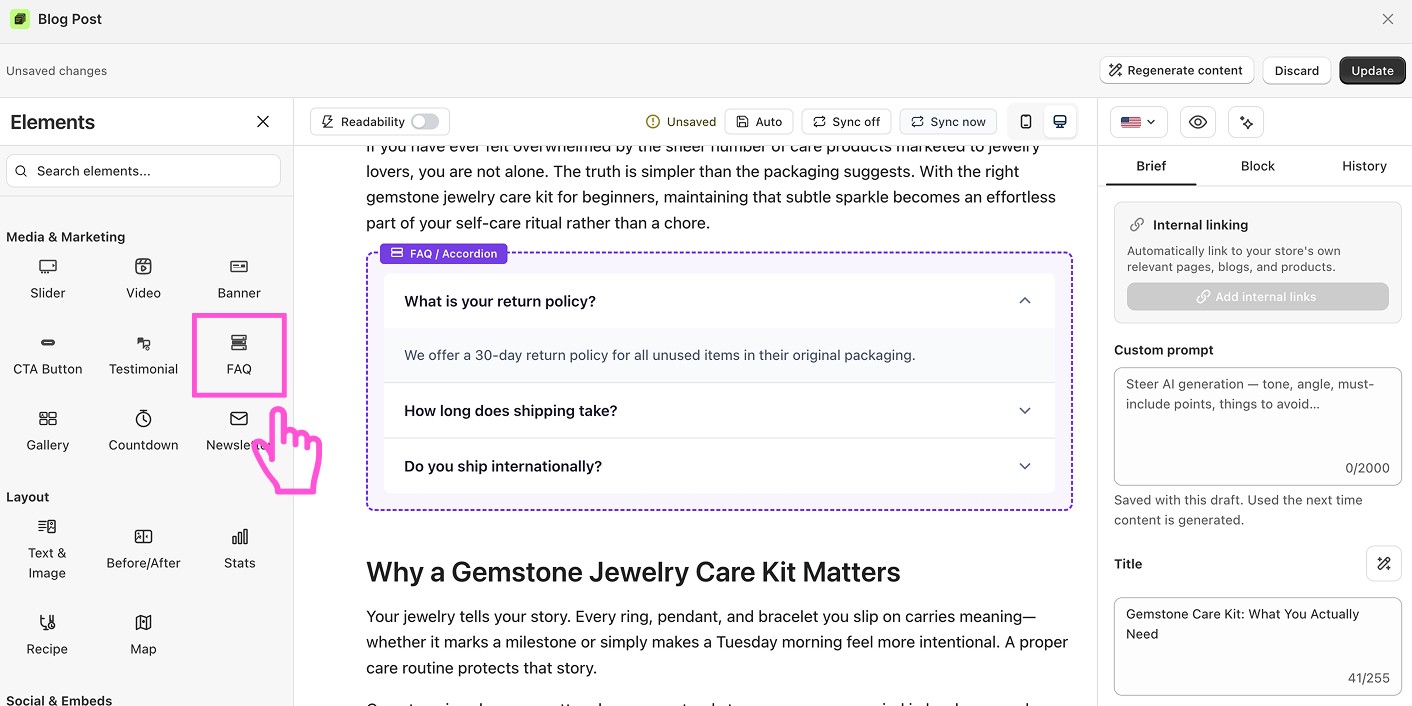
Drag the block into your post, right where you want it.
Click the block to open FAQ settings in the Block tab on the right.
Click Add item for each question, then fill in the question and its answer. Reorder items with the arrows, delete one with the trash icon.
Tick Allow multiple open if readers should be able to expand several answers at once. Leave it off and opening one closes the rest.
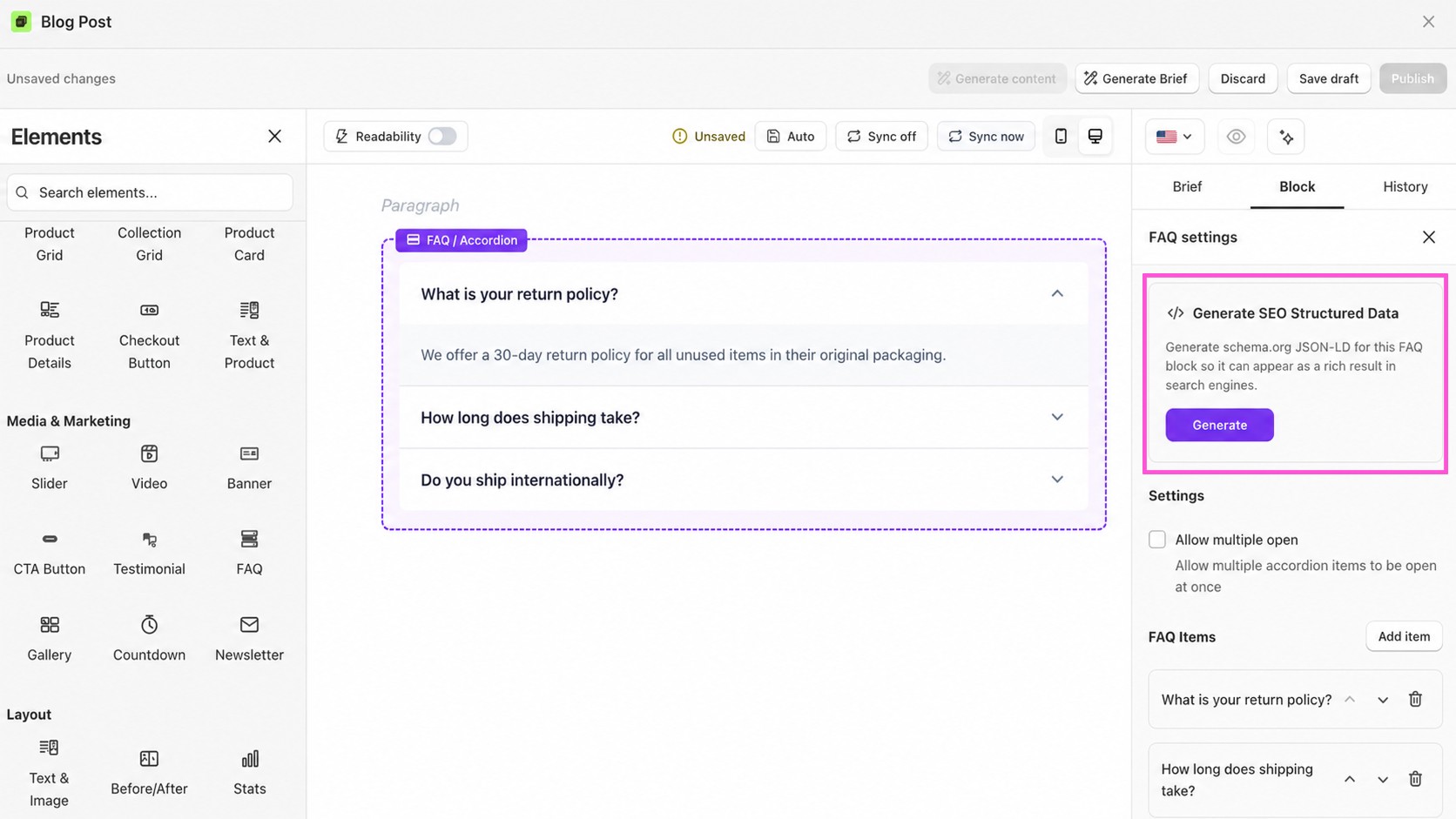
Click Generate structured data to output schema.org JSON-LD for the FAQ.
Click Save draft or Publish.
How to generate structured data for the FAQ block?
Structured data tells Google exactly which questions your post answers and what the answers are — so the post becomes eligible for a rich result that shows the questions right in search.
Fill in the FAQ block first: every question and its full answer. The more complete the block, the more complete the markup.
In FAQ settings, open the Structured data card and click Generate structured data.
Publish the post. vevy.ai injects the schema.org
FAQPageJSON-LD into the<head>of the blog page automatically — no theme edits, no code.

Let the content brief write your questions
You don't have to guess what people are asking. When vevy.ai generates a content brief for a post, it includes FAQ questions and People Also Ask (PAA) questions pulled for that exact topic — the queries real searchers are typing.
Click Generate Brief, open the Brief tab, and lift the questions straight into the FAQ block. Answering a PAA question in your own FAQ is one of the cheapest ways to show up for it.
What you can customize
Questions and answers — add, edit, reorder, or delete any item
Allow multiple open — let readers expand several answers at once, or keep it to one
Structured data — generate schema.org FAQ JSON-LD for the block